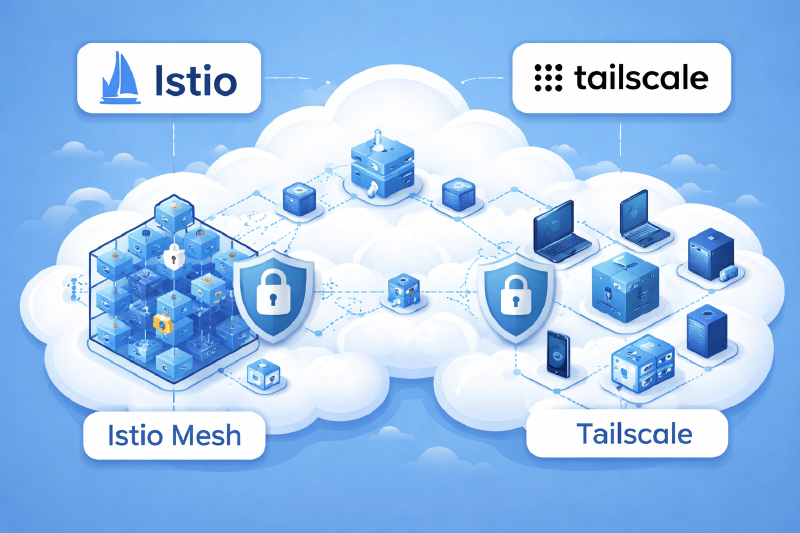
Running a multi-cluster Istio service mesh traditionally requires complex networking setup—exposing east-west gateways to the internet or configuring VPN infrastructure. In this guide, I’ll show you how to use Tailscale to simplify this architecture dramatically while improving security.
By the end, you’ll have cross-cluster service discovery, automatic failover, and encrypted service-to-service communication without exposing anything to the public internet.
Why Tailscale for Istio Multi-Cluster?
Traditional multi-cluster Istio deployments face several challenges:
- East-west gateways exposed publicly - Security risk and additional attack surface
- Complex VPN setup - IPSec tunnels, certificate management, firewall rules
- NAT traversal issues - Corporate networks and cloud providers complicate direct connectivity
- Certificate management - Each cluster needs proper TLS configuration
Tailscale solves all of these by providing:
- Private mesh network - Gateways never exposed to the internet
- Zero-config NAT traversal - WireGuard-based connections work through any network
- MagicDNS - Automatic DNS resolution between clusters
- Built-in authentication - Leverage existing Tailscale identity
Architecture Overview
We’re deploying a multi-primary Istio topology where each cluster runs its own control plane and discovers services from all clusters in the mesh.
Why Egress Proxies are Required
Pods in Kubernetes cannot directly reach Tailscale CGNAT IPs (100.x.x.x). When Istio sidecars connect to remote east-west gateways, they need a way to route traffic through Tailscale.
The solution is egress proxy services - ClusterIP services that route traffic through Tailscale proxy pods:
 1
 2
 3
 4
 5
 6
 7
 8
 9
10
11
12
13
14
15
16
17
18
19
20
21
22
23
| ┌─────────────────────────────────────────────────────────────────────────────┐
│ Data Plane Flow │
│ │
│ Cluster 1 Cluster 2 │
│ ┌───────────────────────────────────┐ ┌──────────────────────────┐ │
│ │ │ │ │ │
│ │ ┌─────────┐ ┌─────────────┐ │ │ ┌────────────────────┐ │ │
│ │ │ Pod │────►│Istio Sidecar│ │ │ │ East-West Gateway │ │ │
│ │ └─────────┘ └──────┬──────┘ │ │ │ (port 15443) │ │ │
│ │ │ │ │ └─────────┬──────────┘ │ │
│ │ ▼ │ │ │ │ │
│ │ ┌──────────────────────────────┐ │ │ ▼ │ │
│ │ │ Egress ClusterIP Service │ │ │ ┌──────────────────┐ │ │
│ │ │ (cluster2-eastwest-egress) │ │ │ │ Remote Service │ │ │
│ │ └──────────────┬───────────────┘ │ │ └──────────────────┘ │ │
│ │ │ │ │ │ │
│ │ ▼ │ └──────────────────────────┘ │
│ │ ┌──────────────────────────────┐ │ ▲ │
│ │ │ Tailscale Proxy Pod │─┼────────────────────┘ │
│ │ │ (proxy-class: common) │ │ Tailscale Network │
│ │ └──────────────────────────────┘ │ (100.x.x.x) │
│ └───────────────────────────────────┘ │
└─────────────────────────────────────────────────────────────────────────────┘
|
Key components:
- Tailscale Kubernetes Operator - Provides API server proxy and LoadBalancer class
- East-West Gateways - Handle cross-cluster traffic via Tailscale network
- Egress Proxy Services - Enable pods to route traffic through Tailscale (pods can’t reach 100.x.x.x directly!)
- Istiod - Control plane discovers services in remote clusters through API proxy
Prerequisites
- Two or more Kubernetes clusters
- Tailscale account with Admin access
- Helm 3.0+
- OpenSSL for certificate generation
- kubectl configured for each cluster
Step 1: Install Tailscale Kubernetes Operator
Install the operator in each cluster with the API server proxy enabled. This creates a secure tunnel for Istio control planes to communicate with remote Kubernetes API servers.
Cluster 1:
1
2
3
4
5
6
7
8
| helm upgrade --install tailscale-operator tailscale/tailscale-operator \
--namespace=tailscale \
--create-namespace \
--set-string oauth.clientId=<YOUR_OAUTH_CLIENT_ID> \
--set-string oauth.clientSecret=<YOUR_OAUTH_CLIENT_SECRET> \
--set operatorConfig.hostname=cluster1-k8s-operator \
--set apiServerProxyConfig.mode=true \
--wait
|
Cluster 2:
1
2
3
4
5
6
7
8
| helm upgrade --install tailscale-operator tailscale/tailscale-operator \
--namespace=tailscale \
--create-namespace \
--set-string oauth.clientId=<YOUR_OAUTH_CLIENT_ID> \
--set-string oauth.clientSecret=<YOUR_OAUTH_CLIENT_SECRET> \
--set operatorConfig.hostname=cluster2-k8s-operator \
--set apiServerProxyConfig.mode=true \
--wait
|
The unique hostnames (cluster1-k8s-operator, cluster2-k8s-operator) identify each cluster in your tailnet.
Add these grants to your tailnet policy file to enable secure communication between clusters:
 1
 2
 3
 4
 5
 6
 7
 8
 9
10
11
12
13
14
15
16
17
18
19
20
21
22
23
24
25
26
| {
"tagOwners": {
"tag:k8s-operator": ["autogroup:admin"],
"tag:istio-eastwestgateway": ["autogroup:admin"]
},
"grants": [
{
"src": ["autogroup:admin", "tag:k8s-operator"],
"dst": ["tag:k8s-operator"],
"app": {
"tailscale.com/cap/kubernetes": [
{
"impersonate": {
"groups": ["system:masters"]
}
}
]
}
},
{
"src": ["tag:istio-eastwestgateway"],
"dst": ["tag:istio-eastwestgateway"],
"ip": ["*"]
}
]
}
|
This configuration:
- First grant - Enables API server access for Istio control planes with cluster-admin privileges
- Second grant - Allows east-west gateways to communicate with each other
Step 3: Set Up DNS Resolution
Istio control planes need to resolve Tailscale hostnames (e.g., cluster1-k8s-operator.tailnet.ts.net). Create a DNS configuration in each cluster:
1
2
3
4
5
6
7
8
9
| apiVersion: tailscale.com/v1alpha1
kind: DNSConfig
metadata:
name: ts-dns
spec:
nameserver:
image:
repo: tailscale/k8s-nameserver
tag: unstable
|
Apply to both clusters:
1
2
| kubectl apply -f dns-config.yaml --context=cluster1
kubectl apply -f dns-config.yaml --context=cluster2
|
Get the nameserver IP and configure CoreDNS to forward .ts.net queries:
1
| kubectl get dnsconfig ts-dns -o jsonpath='{.status.nameserverStatus.ip}'
|
Update CoreDNS configmap in each cluster:
1
2
3
4
5
| your-tailnet.ts.net:53 {
errors
cache 30
forward . <TAILSCALE_NAMESERVER_IP>
}
|
Step 4: Create Egress Services
In each cluster, create services pointing to remote API servers:
In Cluster 1 (pointing to Cluster 2):
 1
 2
 3
 4
 5
 6
 7
 8
 9
10
11
12
13
14
| apiVersion: v1
kind: Service
metadata:
name: cluster2-k8s-operator
namespace: tailscale
annotations:
tailscale.com/tailnet-fqdn: cluster2-k8s-operator.your-tailnet.ts.net
spec:
externalName: placeholder
type: ExternalName
ports:
- name: https
port: 443
protocol: TCP
|
Create the corresponding service in Cluster 2 pointing to Cluster 1.
Step 5: Install Istio with Multi-Cluster Configuration
Generate Shared Root CA
First, create a shared certificate authority for mTLS across clusters:
1
2
3
4
5
6
7
8
9
| mkdir -p certs && cd certs
curl -L https://raw.githubusercontent.com/istio/istio/release-1.24/tools/certs/Makefile.selfsigned.mk -o Makefile.selfsigned.mk
# Generate root CA
make -f Makefile.selfsigned.mk root-ca
# Generate intermediate certs for each cluster
make -f Makefile.selfsigned.mk cluster1-cacerts
make -f Makefile.selfsigned.mk cluster2-cacerts
|
Create the cacerts secret in each cluster:
1
2
3
4
5
6
| kubectl create namespace istio-system --context=cluster1
kubectl create secret generic cacerts -n istio-system --context=cluster1 \
--from-file=cluster1/ca-cert.pem \
--from-file=cluster1/ca-key.pem \
--from-file=cluster1/root-cert.pem \
--from-file=cluster1/cert-chain.pem
|
Repeat for cluster2 with its certificates.
Install Istio
 1
 2
 3
 4
 5
 6
 7
 8
 9
10
11
12
13
14
15
16
17
18
19
20
21
22
23
24
| helm repo add istio https://istio-release.storage.googleapis.com/charts
helm repo update
# Install base CRDs
helm install istio-base istio/base --namespace istio-system --kube-context=cluster1
helm install istio-base istio/base --namespace istio-system --kube-context=cluster2
# Install istiod in cluster1
helm install istiod istio/istiod \
--namespace istio-system \
--kube-context=cluster1 \
--set global.meshID=mesh1 \
--set global.multiCluster.clusterName=cluster1 \
--set global.network=cluster1 \
--wait
# Install istiod in cluster2
helm install istiod istio/istiod \
--namespace istio-system \
--kube-context=cluster2 \
--set global.meshID=mesh1 \
--set global.multiCluster.clusterName=cluster2 \
--set global.network=cluster2 \
--wait
|
Step 6: Create Remote Secrets
Enable Istio control planes to discover services in remote clusters:
In Cluster 1 (for accessing Cluster 2):
 1
 2
 3
 4
 5
 6
 7
 8
 9
10
11
12
13
14
15
16
17
18
19
20
21
22
23
24
25
26
27
28
| apiVersion: v1
kind: Secret
metadata:
name: istio-remote-secret-cluster2
namespace: istio-system
annotations:
networking.istio.io/cluster: cluster2
labels:
istio/multiCluster: "true"
type: Opaque
stringData:
cluster2: |
apiVersion: v1
clusters:
- cluster:
server: https://cluster2-k8s-operator.your-tailnet.ts.net
name: cluster2
contexts:
- context:
cluster: cluster2
user: tailscale-auth
name: cluster2
current-context: cluster2
kind: Config
users:
- name: tailscale-auth
user:
token: unused
|
The token: unused placeholder works because Tailscale’s application capabilities handle authentication automatically.
Step 7: Deploy East-West Gateways with Tailscale LoadBalancer
This is where the magic happens. Instead of exposing gateways publicly, we use Tailscale LoadBalancer:
 1
 2
 3
 4
 5
 6
 7
 8
 9
10
11
12
13
14
15
16
17
18
19
20
21
22
23
24
25
| helm install istio-eastwestgateway istio/gateway \
--namespace istio-system \
--kube-context=cluster1 \
--set name=istio-eastwestgateway \
--set labels.app=istio-eastwestgateway \
--set labels.istio=eastwestgateway \
--set labels.topology.istio.io/network=cluster1 \
--set networkGateway=cluster1 \
--set service.type=LoadBalancer \
--set service.loadBalancerClass=tailscale \
--set service.annotations."tailscale\.com/hostname"=cluster1-istio-eastwestgateway \
--set service.annotations."tailscale\.com/tags"=tag:istio-eastwestgateway \
--set service.ports[0].name=status-port \
--set service.ports[0].port=15021 \
--set service.ports[0].targetPort=15021 \
--set service.ports[1].name=tls \
--set service.ports[1].port=15443 \
--set service.ports[1].targetPort=15443 \
--set service.ports[2].name=tls-istiod \
--set service.ports[2].port=15012 \
--set service.ports[2].targetPort=15012 \
--set service.ports[3].name=tls-webhook \
--set service.ports[3].port=15017 \
--set service.ports[3].targetPort=15017 \
--wait
|
Repeat for cluster2 with updated hostname and network values.
Create the Gateway CRD
The Gateway resource configures the east-west gateway pods to listen on port 15443 for cross-cluster traffic.
 1
 2
 3
 4
 5
 6
 7
 8
 9
10
11
12
13
14
15
16
17
| apiVersion: networking.istio.io/v1beta1
kind: Gateway
metadata:
name: cross-network-gateway
namespace: istio-system
spec:
selector:
istio: eastwestgateway
servers:
- port:
number: 15443
name: tls
protocol: TLS
tls:
mode: AUTO_PASSTHROUGH
hosts:
- "*.local"
|
Apply this Gateway resource to both clusters:
1
2
| kubectl apply -f cross-network-gateway.yaml --context=cluster1
kubectl apply -f cross-network-gateway.yaml --context=cluster2
|
You can verify the listener is active:
1
| istioctl proxy-config listeners deploy/istio-eastwestgateway -n istio-system --context=cluster1 | grep 15443
|
If you see no output, the Gateway CRD is missing or not selecting your gateway pods correctly.
Step 8: Create Egress Proxy Services
Pods in Kubernetes cannot reach Tailscale CGNAT IPs (100.x.x.x) directly, so you create egress proxy services that route traffic through Tailscale.
Create a ProxyClass
Use the proxy-class annotation for egress proxies. This approach works reliably across Tailscale operator versions.
 1
 2
 3
 4
 5
 6
 7
 8
 9
10
11
12
| apiVersion: tailscale.com/v1alpha1
kind: ProxyClass
metadata:
name: common
spec:
statefulSet:
pod:
tailscaleContainer:
resources:
requests:
cpu: 100m
memory: 128Mi
|
Create Egress Services
In Cluster 1 (to reach Cluster 2’s east-west gateway):
 1
 2
 3
 4
 5
 6
 7
 8
 9
10
11
12
13
14
15
16
17
18
19
20
21
22
23
24
25
26
27
28
29
30
31
| ---
# This Service tells Tailscale operator to create an egress proxy
apiVersion: v1
kind: Service
metadata:
name: cluster2-istio-eastwestgateway-ts
namespace: istio-system
annotations:
tailscale.com/tailnet-fqdn: cluster2-istio-eastwestgateway.your-tailnet.ts.net
tailscale.com/proxy-class: common
spec:
externalName: placeholder
type: ExternalName
ports:
- name: tls
port: 15443
protocol: TCP
---
# This ExternalName service routes to the operator-managed ClusterIP
apiVersion: v1
kind: Service
metadata:
name: cluster2-istio-eastwestgateway
namespace: istio-system
spec:
type: ExternalName
externalName: cluster2-istio-eastwestgateway-ts.istio-system.svc.cluster.local
ports:
- name: tls
port: 15443
protocol: TCP
|
In Cluster 2 (to reach Cluster 1’s east-west gateway):
 1
 2
 3
 4
 5
 6
 7
 8
 9
10
11
12
13
14
15
16
17
18
19
20
21
22
23
24
25
26
27
28
29
| ---
apiVersion: v1
kind: Service
metadata:
name: cluster1-istio-eastwestgateway-ts
namespace: istio-system
annotations:
tailscale.com/tailnet-fqdn: cluster1-istio-eastwestgateway.your-tailnet.ts.net
tailscale.com/proxy-class: common
spec:
externalName: placeholder
type: ExternalName
ports:
- name: tls
port: 15443
protocol: TCP
---
apiVersion: v1
kind: Service
metadata:
name: cluster1-istio-eastwestgateway
namespace: istio-system
spec:
type: ExternalName
externalName: cluster1-istio-eastwestgateway-ts.istio-system.svc.cluster.local
ports:
- name: tls
port: 15443
protocol: TCP
|
Wait for the Tailscale operator to create the egress proxy pods:
1
| kubectl get pods -n istio-system -l tailscale.com/parent-resource-type=svc
|
Update Istio to know about the network topology. Use local egress service DNS names (not Tailscale FQDNs directly) so traffic routes through the egress proxy.
In Cluster 1, configure global.meshNetworks in istiod values:
 1
 2
 3
 4
 5
 6
 7
 8
 9
10
11
12
13
14
| global:
meshNetworks:
cluster1:
endpoints:
- fromRegistry: cluster1
gateways:
- address: istio-eastwestgateway.istio-system.svc.cluster.local
port: 15443
cluster2:
endpoints:
- fromRegistry: cluster2
gateways:
- address: cluster2-istio-eastwestgateway.istio-system.svc.cluster.local
port: 15443
|
In Cluster 2, configure:
 1
 2
 3
 4
 5
 6
 7
 8
 9
10
11
12
13
14
| global:
meshNetworks:
cluster1:
endpoints:
- fromRegistry: cluster1
gateways:
- address: cluster1-istio-eastwestgateway.istio-system.svc.cluster.local
port: 15443
cluster2:
endpoints:
- fromRegistry: cluster2
gateways:
- address: istio-eastwestgateway.istio-system.svc.cluster.local
port: 15443
|
Apply via Helm upgrade:
 1
 2
 3
 4
 5
 6
 7
 8
 9
10
11
| helm upgrade istiod istio/istiod \
--namespace istio-system \
--kube-context=cluster1 \
--reuse-values \
-f cluster1-mesh-networks.yaml
helm upgrade istiod istio/istiod \
--namespace istio-system \
--kube-context=cluster2 \
--reuse-values \
-f cluster2-mesh-networks.yaml
|
Istio sidecars can’t resolve or route to Tailscale FQDNs (100.x.x.x IPs) directly. By pointing to local egress services, traffic flows: sidecar → egress ClusterIP → Tailscale proxy pod → Tailscale network → remote gateway.
Verifying the Setup
Check that east-west gateways have Tailscale IPs (100.x.x.x range):
1
| kubectl get svc istio-eastwestgateway -n istio-system --context=cluster1
|
Deploy a test application in both clusters:
 1
 2
 3
 4
 5
 6
 7
 8
 9
10
11
12
13
14
15
16
17
18
19
20
21
22
23
24
25
26
27
28
29
30
31
| apiVersion: apps/v1
kind: Deployment
metadata:
name: echo
spec:
replicas: 1
selector:
matchLabels:
app: echo
template:
metadata:
labels:
app: echo
spec:
containers:
- name: echo
image: hashicorp/http-echo
args: ["-text=cluster1"] # Use "cluster2" for the other cluster
ports:
- containerPort: 5678
---
apiVersion: v1
kind: Service
metadata:
name: echo
spec:
ports:
- port: 80
targetPort: 5678
selector:
app: echo
|
Test cross-cluster load balancing:
1
2
3
4
5
6
7
| kubectl label namespace default istio-injection=enabled --context=cluster1
kubectl run client --image=curlimages/curl --command -- sleep 3600 --context=cluster1
# After pod is ready
for i in {1..10}; do
kubectl exec client --context=cluster1 -- curl -s echo.default.svc.cluster.local
done
|
You should see responses from both cluster1 and cluster2, confirming traffic is being routed across clusters through the Tailscale-secured east-west gateways.
Advanced Configuration: Locality-Based Routing
For production deployments, configure locality-based routing to prefer local endpoints:
 1
 2
 3
 4
 5
 6
 7
 8
 9
10
11
12
13
14
15
16
17
18
19
| apiVersion: networking.istio.io/v1
kind: DestinationRule
metadata:
name: echo-locality
spec:
host: echo.default.svc.cluster.local
trafficPolicy:
loadBalancer:
localityLbSetting:
enabled: true
distribute:
- from: region1/zone1/*
to:
"region1/zone1/*": 80
"region2/zone2/*": 20
outlierDetection:
consecutiveErrors: 5
interval: 30s
baseEjectionTime: 30s
|
This routes 80% of traffic to local endpoints with automatic failover to remote clusters when endpoints become unhealthy.
Benefits of This Approach
- Enhanced Security - East-west gateways never exposed to the internet
- Simplified Networking - No firewall rules, public load balancers, or VPN configuration
- High Availability - Automatic failover between clusters
- Geographic Distribution - Locality-based routing optimizes latency
- Zero-Config NAT Traversal - Tailscale handles connectivity through any network
Troubleshooting
“no healthy upstream” errors
This typically indicates one of two issues:
1. Missing Gateway CRD
The east-west gateway pods need the Gateway resource to configure listeners:
1
2
3
4
| # Check if 15443 listener exists
istioctl proxy-config listeners deploy/istio-eastwestgateway -n istio-system | grep 15443
# If no output, apply the Gateway CRD (see Step 7)
|
2. Egress proxy not forwarding traffic
Verify the egress proxy is running and listening:
1
2
3
4
5
| # Check egress proxy pods exist
kubectl get pods -n istio-system -l tailscale.com/parent-resource-type=svc
# Check the Tailscale operator-created service has a ClusterIP
kubectl get svc -n istio-system | grep eastwestgateway
|
Endpoints showing internal IPs with failed_outlier_check
This indicates the egress proxy isn’t working correctly. Debug with:
1
2
3
4
5
| # Check endpoint resolution
istioctl proxy-config endpoints <pod-name> --cluster "outbound|80||service.namespace.svc.cluster.local"
# If you see internal IPs (10.x.x.x, 172.x.x.x) instead of being routed through egress,
# verify meshNetworks points to local egress service DNS names
|
ProxyGroup egress not listening on ports
ProxyGroup-based egress proxies may not listen on the configured ports in some operator versions. Use proxy-class annotation instead:
1
2
3
| annotations:
tailscale.com/proxy-class: common # Use this
# NOT: tailscale.com/proxy-group: my-group
|
Gateway not getting Tailscale IP
Check that the Tailscale operator is running and ACLs allow the tag:istio-eastwestgateway tag:
1
2
3
4
5
| # Check gateway service status
kubectl get svc istio-eastwestgateway -n istio-system
# Check Tailscale operator logs
kubectl logs -n tailscale -l app.kubernetes.io/name=tailscale-operator
|
Istio can’t discover remote services (control plane)
Verify DNS resolution works for API server proxy:
1
| kubectl run test --image=curlimages/curl --rm -it -- nslookup cluster2-k8s-operator.your-tailnet.ts.net
|
mTLS certificate errors
Ensure all clusters use the same root CA:
1
| kubectl get secret cacerts -n istio-system -o jsonpath='{.data.root-cert\.pem}' | base64 -d | openssl x509 -noout -subject
|
Debug checklist
- ✅ Gateway CRD applied? (
kubectl get gateway -n istio-system) - ✅ Gateway has 15443 listener? (
istioctl proxy-config listeners deploy/istio-eastwestgateway -n istio-system) - ✅ Egress proxy pods running? (
kubectl get pods -n istio-system -l tailscale.com/parent-resource-type=svc) - ✅ meshNetworks using local egress DNS names? (check istiod configmap or helm values)
- ✅ Remote secret configured? (
kubectl get secret -n istio-system | grep remote) - ✅ Tailscale ACLs allow traffic between gateways?
References